












































































































































































































































































































































































































































































Authorisation Bypass
This kind of test focuses on verifying how the authorization schema has been implemented for each role or privilege to get access to reserved functions and resources.
For every specific role the tester holds during the assessment and for every function and request that the application executes during the post-authentication phase, it is necessary to verify:
- Is it possible to access that resource even if the user is not authenticated?
- Is it possible to access that resource after the log-out?
- Is it possible to access functions and resources that should be accessible to a user that holds a different role or privilege?
Try to access the application as an administrative user and track all the administrative functions.
- Is it possible to access administrative functions if the tester is logged in as a non-admin user?
- Is it possible to use these administrative functions as a user with a different role and for whom that action should be denied?
This is basically broken access control.
Access control (or authorization) is the application of constraints on who (or what) can perform attempted actions on access resources they've requested. In context of web apps, access control is dependent on authentication and session management.
- Authentication - identifies the user and confirms who they're who they say they are
- Session management - which subsequent HTTP requests are being made by that same user
- Access control - is the user allowed to carry out the action they're attempting to perform?
This is also covered in IDOR (Insecure Direct Object References)
Access control vulnerability that arises when an application uses user-supplied input to access objects directly. Again, just one example of many access control implementation mistakes.
DVWA - Authorisation Bypass - Low
This page should only be accessible to the admin user, the challenge is to gain access to the features using one of the other users, i.e. gordonb/abc123. The goal is testing the user management system and should be exclusively usable by the admin.
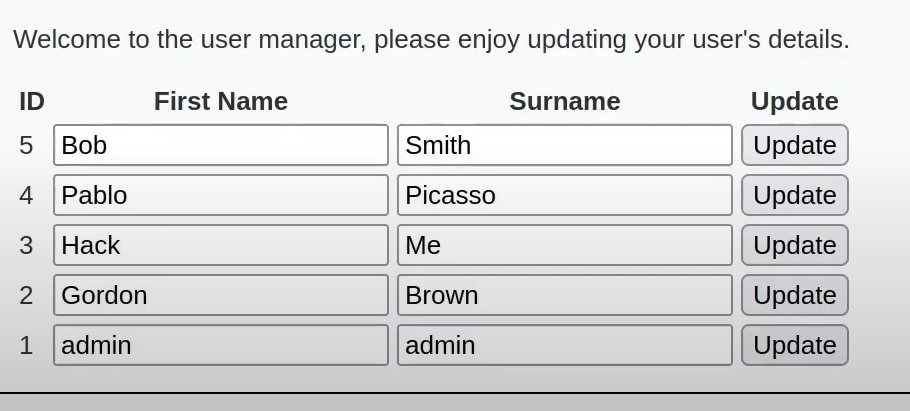
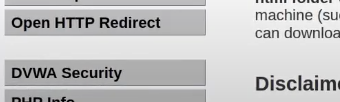
When logged in as gordonb the lab disappears.
Just knowing the existence of the page, allows us to access it. The only control is that it's hidden from view.
